


How to enable 5G on modern mobile devices
You can how to enable 5G on your device to access the fastest mobile internet speeds available today. While many new smartphones support this high-speed network, the feature often requires a manual toggle. This guide explains how to activate the connection on both iOS and Android platforms quickly.
Activate Next-Gen Data on Apple iPhones
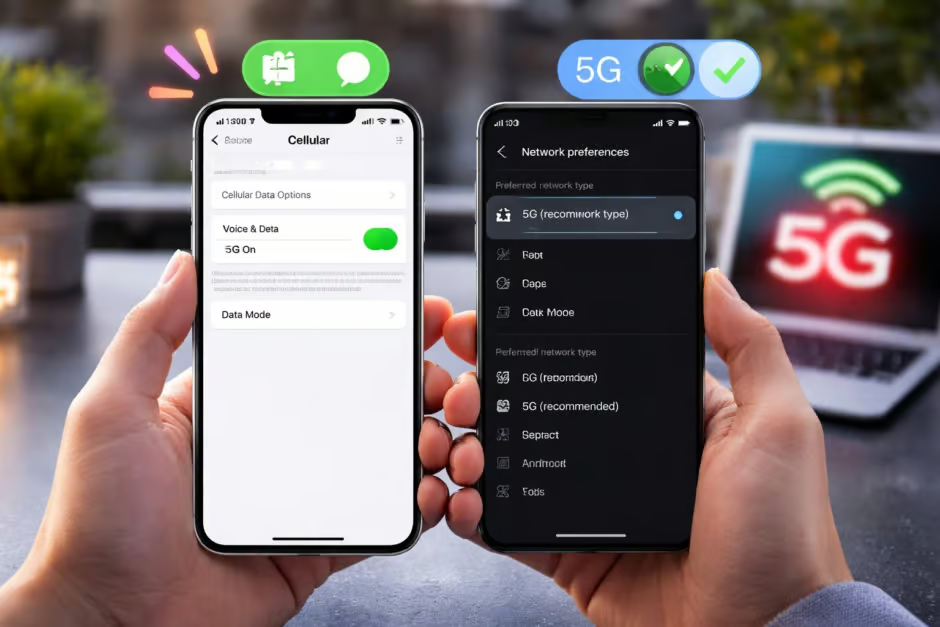
To Enable 5G on iPhone models like the latest iPhone Air, start by opening your Settings. Navigate to the Cellular menu and tap on Cellular Data Options. Under the Voice & Data section, you will see different network modes.
Many users wonder about 5G Auto vs 5G On when adjusting these settings. We recommend selecting “5G Auto” to save battery life while maintaining high performance. This smart setting only uses the faster network when it does not drain your power significantly.
Top iPhone Battery Saving Tips
Quick Steps for iPad Connectivity
The iPad Air M4 5G setup follows a very similar logic to the smartphone version. Open your Settings and select Cellular Data from the left-hand sidebar. Tap on Data and choose your preferred high-speed connection mode.
Once you select the correct option, your tablet will automatically find the best signal. This ensures a smooth experience for streaming 4K videos or downloading large work files.
Best Tablets for High-Speed Internet
Update Samsung and Android Settings
On a Samsung Galaxy S25+, you can unlock faster speeds through the Connections menu. Swipe up to access your apps and open the Settings gear icon. Tap on Connections and then select Mobile networks to see your data preferences.
Toggle the switch for “Allow 5G service” to join the modern network. Most Android devices now use this simple one-tap method to upgrade your browsing experience.
Troubleshooting: Why is my 5G not working?
If you follow these steps and the icon does not appear, ask yourself: Why is my 5G not working? First, verify that your current location has network coverage from your carrier. You also need a compatible SIM card or eSIM that supports the latest network standards.
Sometimes, a simple restart fixes minor software glitches preventing the connection. Ensure your software is up to date to avoid compatibility issues with local cell towers.
Frequently Asked Questions (FAQs)
1. Does enabling 5G drain my battery faster?
Yes, searching for a high-frequency signal uses more power. Use “5G Auto” to balance speed and battery life.
2. Do I need a new SIM card for 5G?
In most cases, yes. Older 4G SIM cards may not authenticate on the new high-speed infrastructure.
3. Why does my phone switch back to LTE?
The device switches to LTE when the 5G signal is too weak or to save power during low-data tasks.
4. Is 5G available everywhere?
No, coverage depends on your mobile provider and your specific geographic location.
5. Can I use 5G on an older iPhone?
Only iPhone 12 models and newer have the internal hardware required to connect to these networks.